Call Bomber Protection Remove APK is an Android application package associated with managing call-bomber protection settings and protection-related controls on supported devices or services. Users searching for this APK are generally looking for an Android download that can help them review, disable, remove, or manage protection associated with a number or application they control.
The APK listed on this page is provided for Android devices and has a listed file size of approximately 8 MB. Before installing any APK, check the actual filename, permissions, Android compatibility, and package information shown on your device. Use the Download button on this page to access the available APK file.
Call Bomber Protection APK Information
| App detail | Information |
|---|---|
| App name | Call Bomber Protection APK |
| Platform | Android |
| File format | APK |
| File size | Approx. 8 MB |
| Category | Communication & protection utility |
| Price | Free download |
| Root access | Normally not required |
| Installation | Android APK installation |
| Purpose | Protection management |
| Download | Use the download button on this page |
The table describes the APK listing presented on this page. Version numbers, package signatures, permissions, and compatibility should always be checked against the actual downloaded file before installation.
What Is Call Bomber Protection Remove APK?
Call Bomber Protection Remove APK is a search term used for Android software associated with call-bomber protection management.
Depending on the application or service involved, protection may refer to a setting that prevents a protected number from being used with certain calling functions. For everyday unwanted calls, also learn how to block spam calls on your phone. A protection-management APK may provide options related to protection status, account settings, number management, or supported controls.
The important distinction is that protection should only be changed for a number, account, or device you own or are authorized to manage. Removing protection from your own number is different from attempting to bypass safeguards placed on another person’s number. A legitimate protection-management application should provide transparent controls and clearly explain what settings it changes.
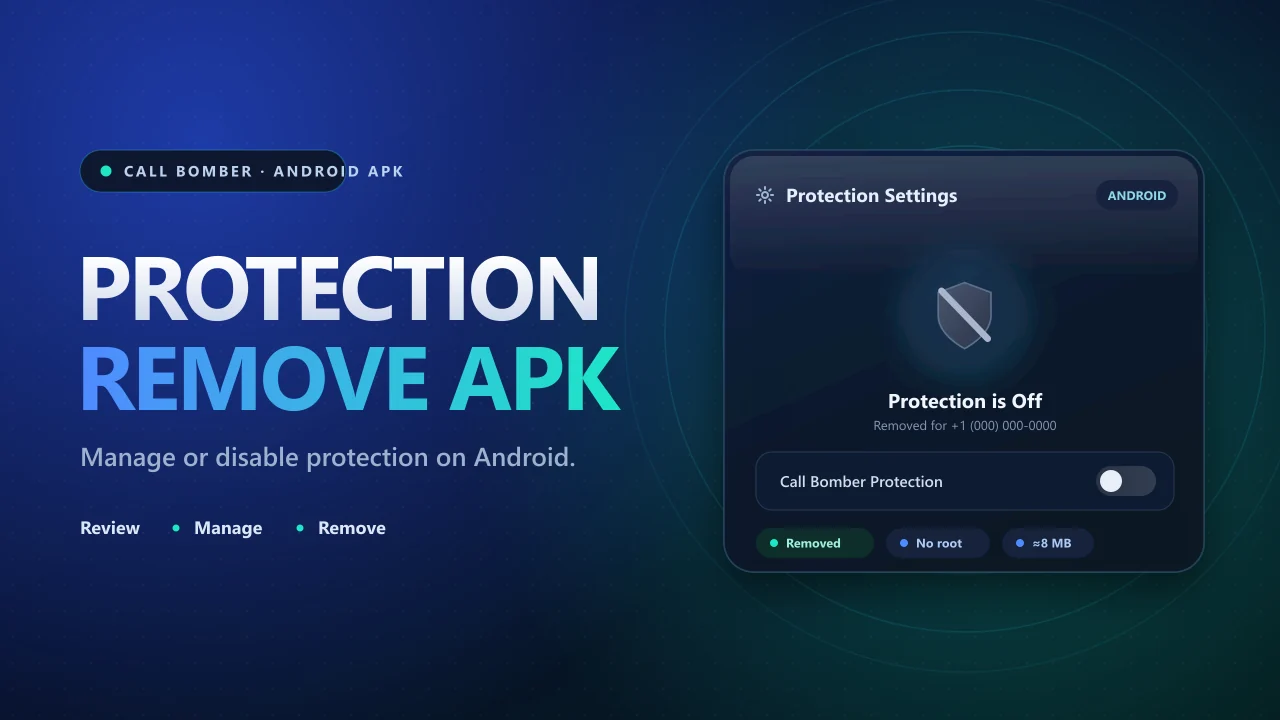
Call Bomber Protection Remove APK Download
Users looking for the Call Bomber Protection Remove APK download can use the download option available at the top of this page.
Download Call Bomber Protection APK
Before downloading, review a few basic details:
- APK file size
- Android compatibility
- application permissions
- filename and package information
- installation source
- protection settings supported by the app
The listed APK size is approximately 8 MB, making it a relatively small Android package. However, file size alone does not confirm whether an APK is trustworthy. The permissions and source are much more important when deciding whether to install unfamiliar software.
Main Features
The available options can vary between APK builds, Android versions, and services. A protection-related APK may include functions such as the following.
Protection Status
The application may allow users to check whether protection-related settings are active for a supported number or account.
Protection Management
Supported controls may include activation, deactivation, or management of protection settings for a number that belongs to the user.
Android Compatibility
The APK format is intended for Android devices. Compatibility can depend on your Android version, device manufacturer, and the particular APK build. For the standard release, see the Call Bomber APK guide.
Lightweight APK Size
With a listed size of approximately 8 MB, the package requires relatively little device storage compared with many larger Android applications.
Simple Settings Access
Protection applications generally benefit from straightforward controls so users can understand whether protection is active and what changes are being made.
Do not assume that every feature advertised by a third-party website is included in the downloaded APK. Check the actual application after installation. If the service behind an app has been shut down, read why a Call Bomber deactivated status appears.
How to Install the APK on Android
After downloading the Call Bomber Protection Remove APK, open your browser’s download section or the Downloads folder on your Android phone. Select the APK file.
Android may ask you to allow installation from the browser or file manager you used to download it. If you choose to continue, authorize only that specific source rather than changing unnecessary system-wide settings.
Review the installation screen and any permissions displayed. Select Install and wait for Android to complete the process. Once installed, open the application and review its available protection settings.
Root access is normally not required simply to install a standard APK package.
Android Compatibility
Call Bomber Protection APK is intended for Android, but installation can vary from one device to another. Compatibility may depend on:
- Android operating-system version
- processor architecture
- device manufacturer
- available storage
- security settings
- APK build
- application permissions
If Android reports that the package is incompatible, do not repeatedly disable security features just to force the installation. An Android APK also cannot be installed directly on an iPhone because iOS uses a different application system.
Managing Protection on Your Own Number
If your goal is to remove call-bomber protection from your own number, first check whether the number protection was enabled through an application, account, or online service.
Open the relevant protection settings and look for options such as Deactivate, Disable Protection, Remove Protection, or Unprotect Number. The wording can vary between applications.
If the protection belongs to an account-based service, you may also need to verify ownership before the setting can be changed. Protection controls should not be used to defeat safeguards placed on numbers belonging to other people.
APK Permissions and Privacy
Communication-related Android applications may request access to device functions, so permissions deserve special attention. Before granting access, ask whether the requested permission is actually required for the feature you are using.
Be cautious if an unfamiliar APK unnecessarily requests access to:
- contacts
- messages
- call logs
- photos or files
- microphone
- account information
- accessibility services
An app requesting more access than its stated purpose requires should be treated carefully. Never enter passwords, payment information, authentication codes, or other sensitive details into an unfamiliar APK without a legitimate reason.
Updating Call Bomber Protection APK
APK files installed manually may not receive automatic updates through the Google Play Store. If another release becomes available, compare its version, filename, package signature, size, and permissions before replacing your existing installation.
An update that suddenly requests significantly more sensitive permissions deserves additional review. You can usually remove the old APK installation file from your Downloads folder after the application has been successfully installed.
Common Installation Problems
APK Won’t Install
The package may be incompatible with your Android version, incomplete, corrupted, or blocked by a security setting.
App Doesn’t Open
Restart the application and check whether the APK supports your device and Android version.
Protection Setting Doesn’t Change
The protection may be controlled by an account or external service rather than only by the installed APK.
Android Shows a Security Warning
Do not automatically ignore the warning. Confirm the application’s source and purpose before continuing.
Frequently Asked Questions
What is Call Bomber Protection Remove APK?
It is a search term associated with Android applications used to manage call-bomber protection settings, particularly for numbers or accounts controlled by the user.
What is the APK file size?
The APK listed on this page is approximately 8 MB.
Is Call Bomber Protection APK available for Android?
Yes. The listed format is an Android APK.
Does the APK require root access?
Root access is normally not required for standard APK installation.
Can I remove protection from my own number?
Where supported, protection settings for your own number may be deactivated through the appropriate application or account controls.
Can the APK be installed on iPhone?
No. Android APK files cannot be installed directly as native iOS applications.
Is the APK free?
The version presented on this page is listed as a free download.
Final Words
Call Bomber Protection Remove APK is intended for Android users looking for downloadable protection-management software associated with numbers or services they control. The listed APK is approximately 8 MB, uses the Android APK format, and normally does not require root access for installation.
Before downloading, verify the actual package information and review all requested permissions. Protection settings should only be changed for your own number, account, or another number you have permission to manage. For the best experience, keep Android security protections enabled, avoid unknown APK sources, and use protection-management features responsibly.
Download Protection Remove APK
Ready to download? Use the download button at the top of this page.